 WordCairn
Word counts for the manuscript you already have
Point WordCairn at your folder of chapters. See your total, every chapter against your target, today's words, your pace and your streak. No account, no cloud, no new writing app to learn.
For Apple silicon and Intel Macs (macOS 11 or later, signed and notarized by Apple) and Windows 11 (test build).
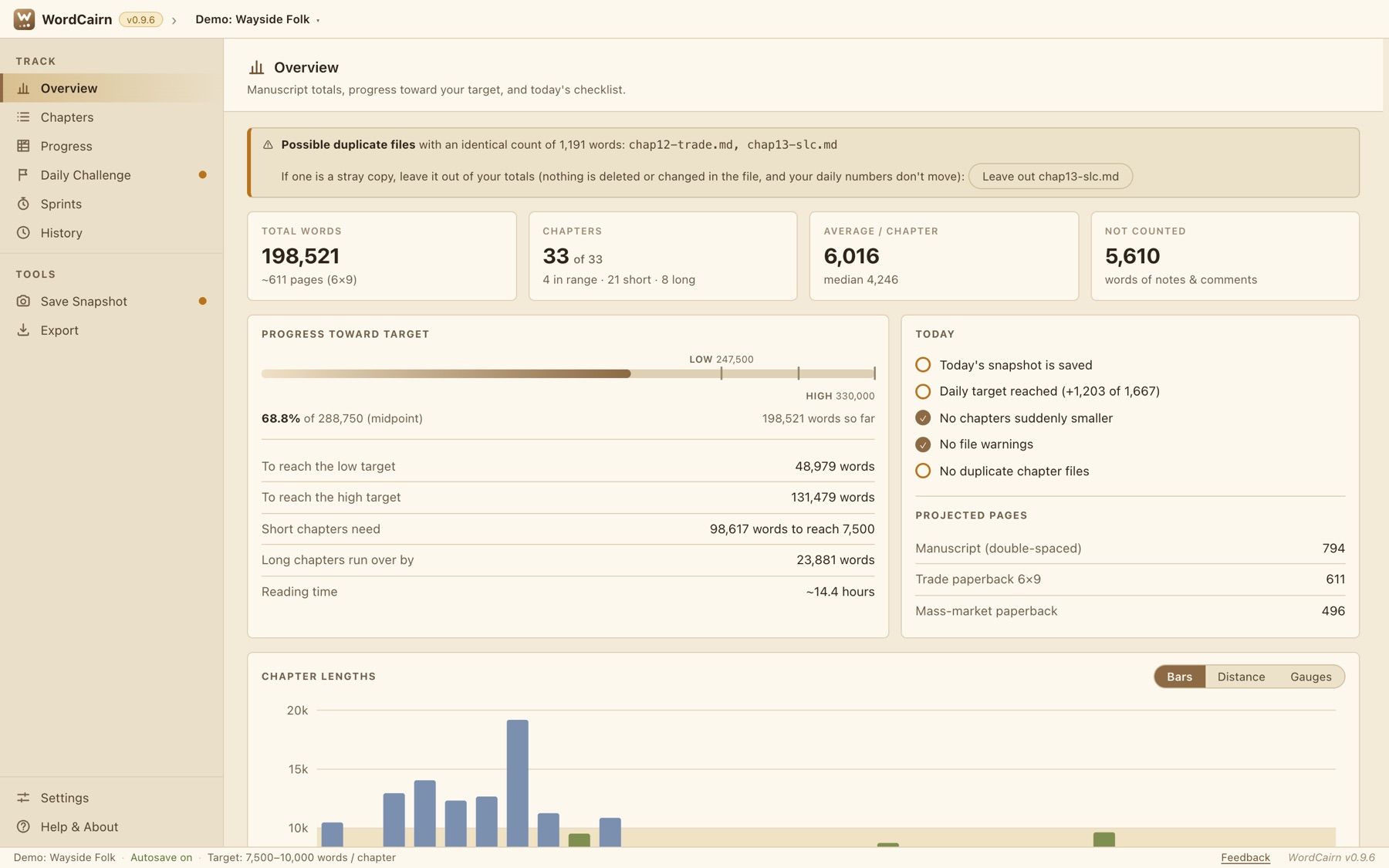
A tracker that sits beside your writing app
Keep writing in Scrivener, Word, iA Writer, Obsidian, VS Code or plain text. WordCairn reads your files and does the counting, the pacing and the bookkeeping. It never changes them.
Private by design
Everything stays on your computer. WordCairn never uploads your chapters, collects usage data or phones home.
Your files, untouched
Chapter files are only ever read. Notes and comments aren't counted, so tidying up can't lower your totals.
Pay once
No subscription. Free through November 30, then $4.99. Everyone who downloads during the free period keeps it and gets updates free.
Everything you need to keep a draft moving
A daily challenge that does the math
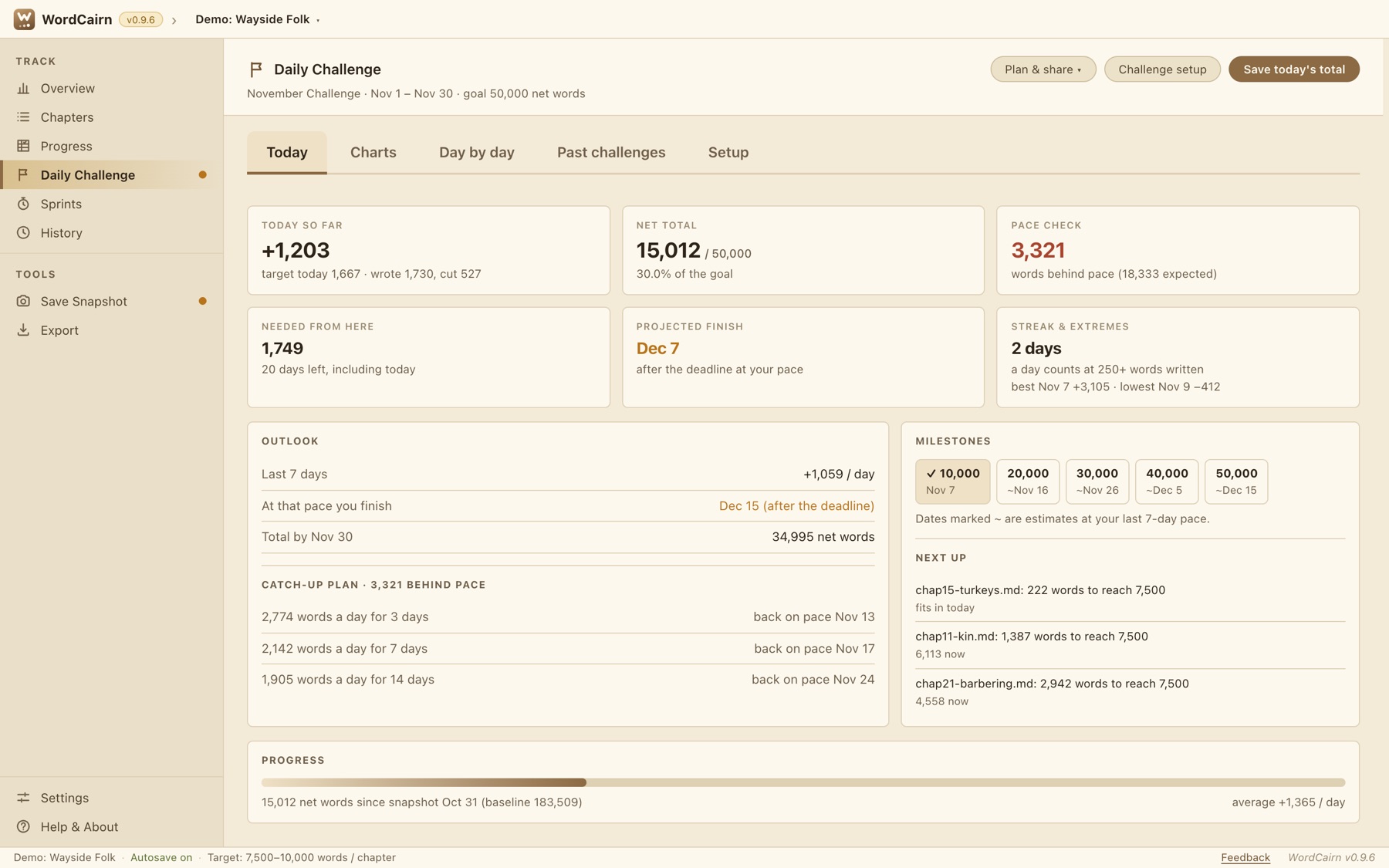
Set dates and a goal (50,000 words in November, say) and WordCairn tracks every day: today's words, net total, whether you're ahead or behind, the finish date at your current pace, and a catch-up plan when you fall behind.
- Streaks, milestones and a day-by-day table
- Days off and words you logged by hand
- A short progress note to share, or a full Markdown report
- Past challenges kept for comparison
Every chapter against your target
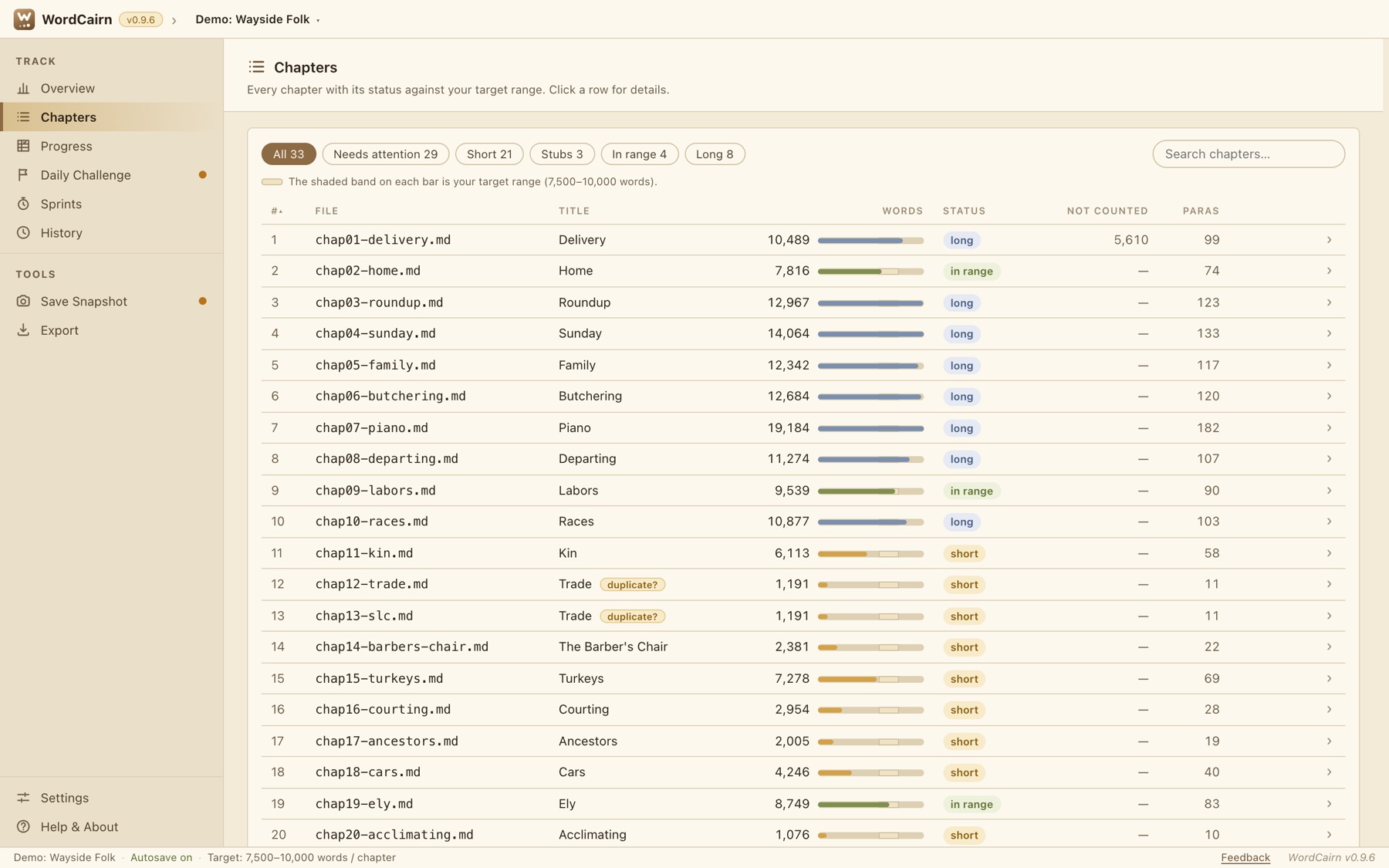
Set a words-per-chapter range and see which chapters are short, long, in range or just placeholders. Filter to what needs attention, and leave out a stray copy without deleting anything.
- Bars, distance-from-target or gauges for chapter lengths
- Warns about duplicate files and sudden drops in words
- Reading time and projected page counts
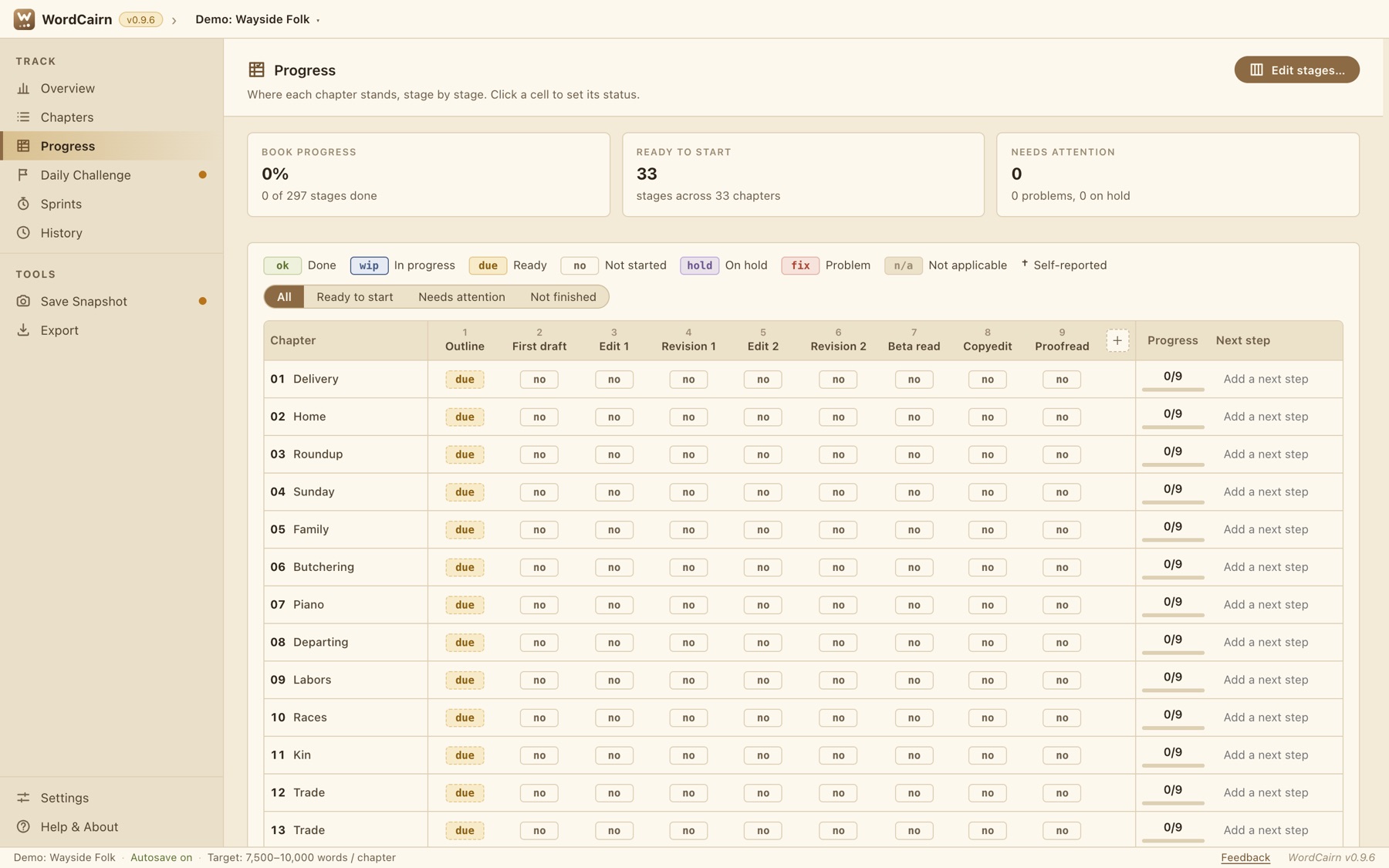
Track every chapter, stage by stage
The Progress page is a matrix of chapters and stages: Outline, First draft, Edit, Revision, Beta read, Copyedit, Proofread. Click a cell to set its status. Stages become "ready" on their own when the one before is done, so your to-do list fills itself in. The columns are yours to rename, add and reorder.
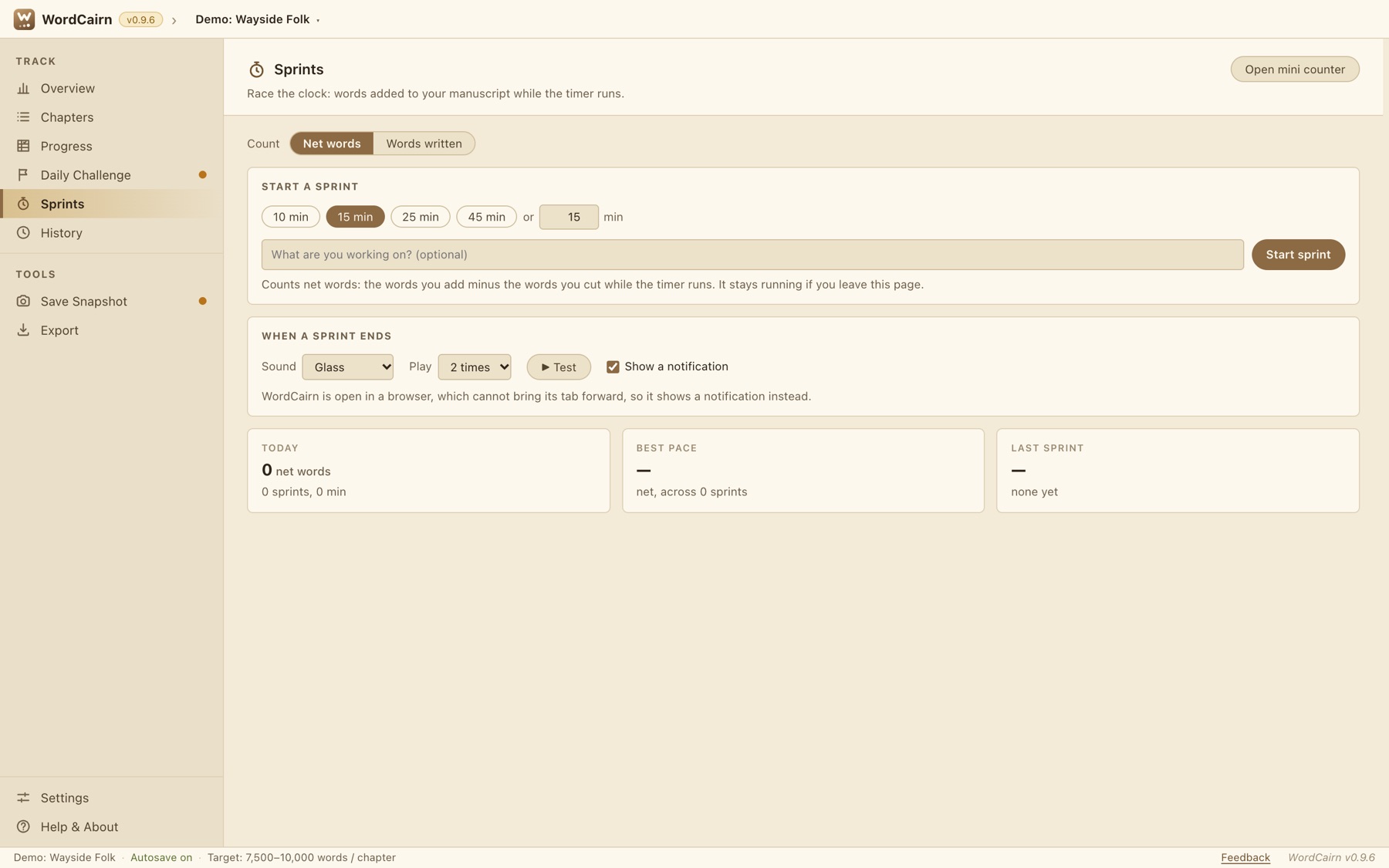
Sprints against the clock
Race 10, 15, 25 or 45 minutes, or your own length. Words are counted live from your files, as net words or new words only. WordCairn logs your pace and best pace, plays the alarm you pick, and brings itself forward when time is up. A small always-on-top mini counter shows today's words, your total and your streak while you write.
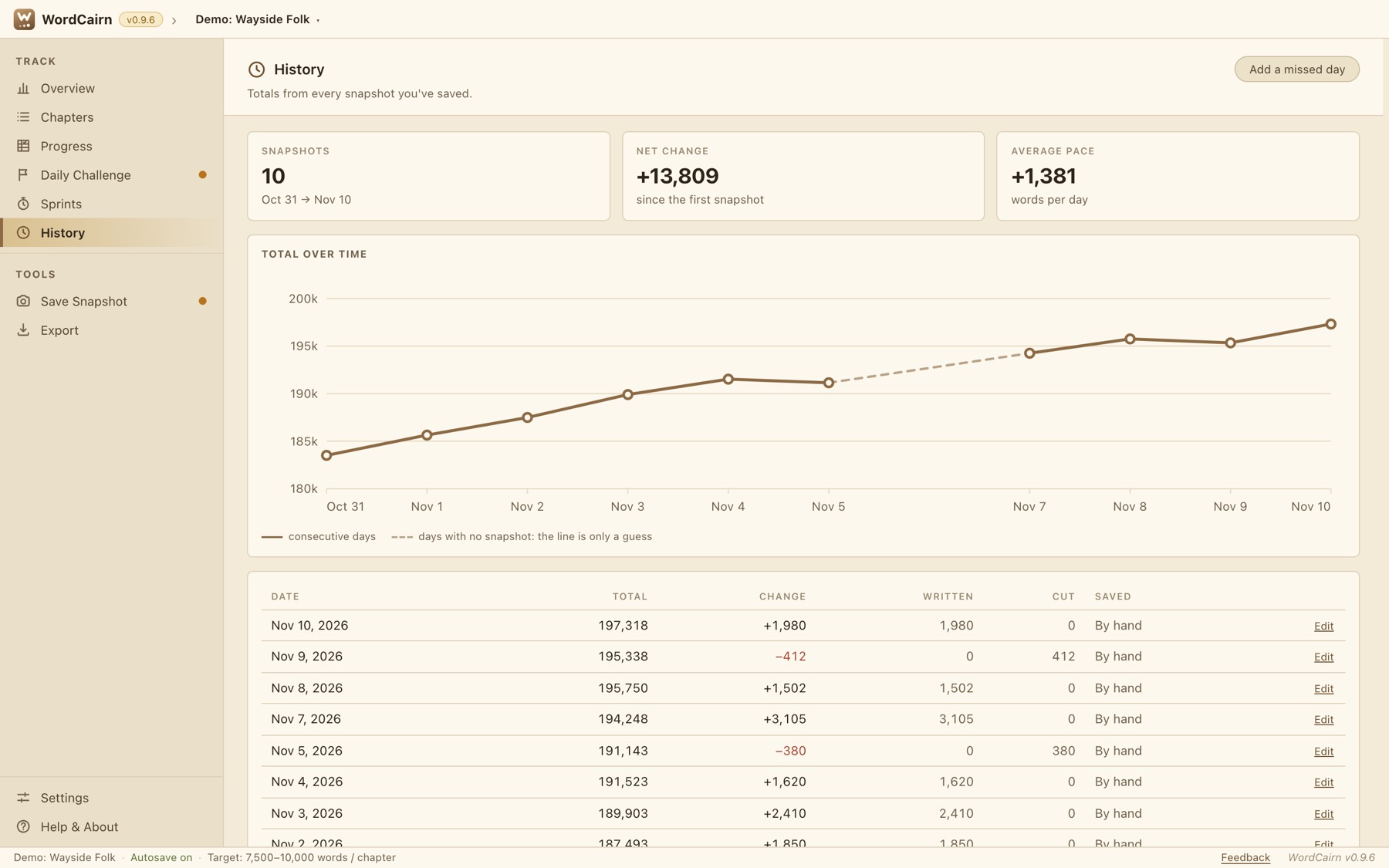
History you can trust
Your total over time on a calendar, so days without a snapshot show as gaps. Autosave records today as you write; Save Snapshot saves on purpose and warns before saving over a big drop. Correct a past day, add a day you forgot, and export everything as CSV, JSON or Markdown.
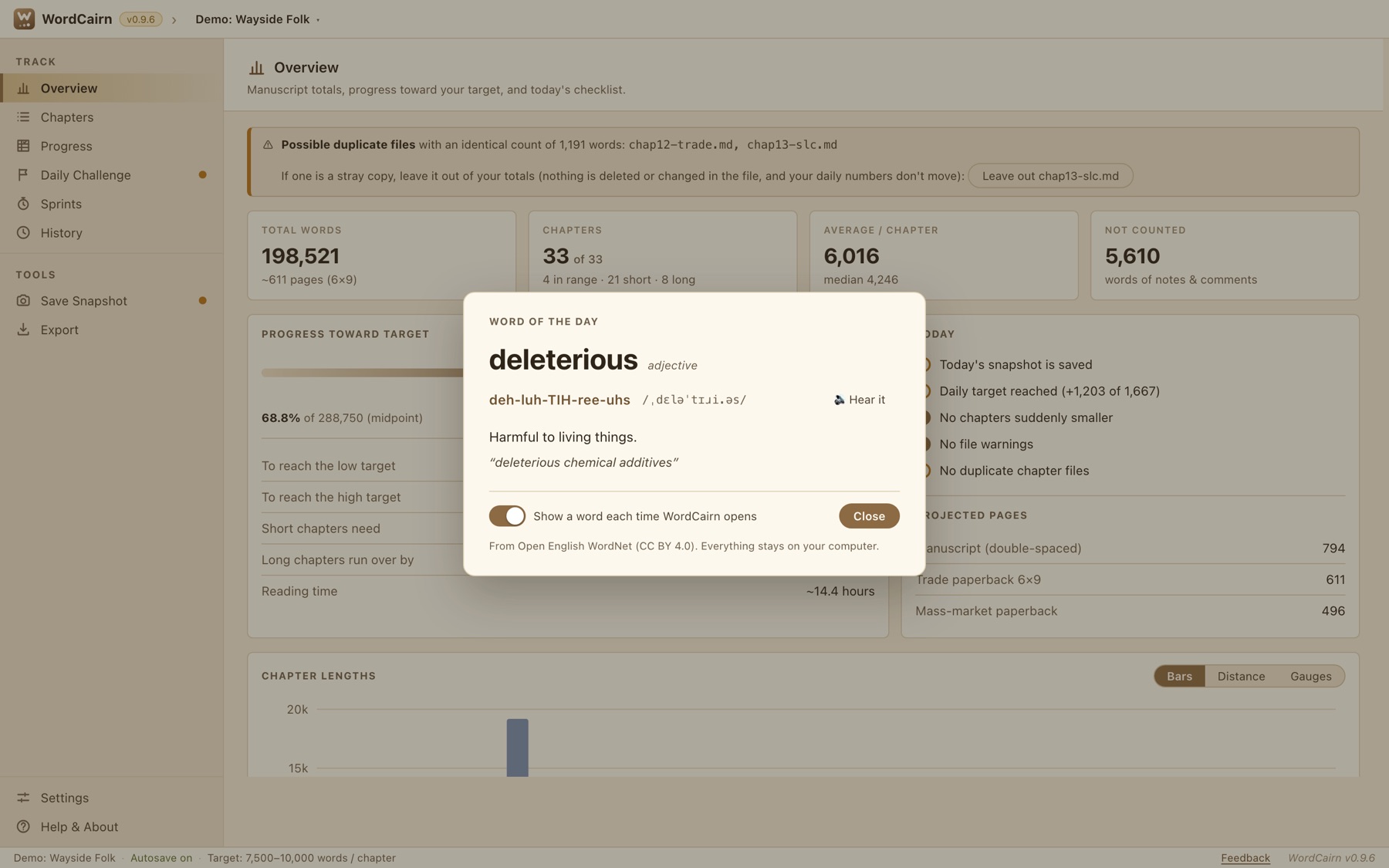
And a little word of the day
When WordCairn opens it can show a word with its pronunciation, definition and an example. The words ship inside the app (nothing is fetched), a Mac can say it aloud, and you can switch it off in one click. Eight colour themes, from Parchment to Night, make it comfortable at any hour.
Reads the files you already have
Choose the folder that holds your chapters. WordCairn counts each file the way that format should be counted.
| Format | Files | How it's counted |
|---|---|---|
| Markdown | .md .markdown .qmd .Rmd .mdx | Notes, comments and front matter left out. Headings skipped unless you count them. |
| Word | .docx .docm .dotx .dotm | Comments and tracked deletions not counted. Footnotes and text boxes counted, as in Word. |
| Scrivener | .scriv | Each Draft item is a chapter, in binder order. Items off in Compile are left out. Never written to. |
| OpenDocument | .odt .fodt | Counted like Word. |
| TextPack | .textpack | Bear, Ulysses and iA Writer exports. |
| Rich Text, plain text, HTML, LaTeX | .rtf .txt .rst .org .adoc .html .tex | Counted as typed, with markup removed where it can be. |
| Old Word | .doc | Uses your Mac's built-in converter (Mac only). |
Apple Pages and Google Docs can't be read directly. WordCairn tells you how to export them to Word.
Simple pricing
one-time, from December 1. No subscription.
- Download it free now and use it for your November challenge.
- If you download before December 1, it's yours, with every update, free.
- Every feature included. No account, no ads, no tracking.
Free now. From December 1 the checkout is handled by Lemon Squeezy, which takes care of sales tax.
Questions
Is it really free right now?
Yes. WordCairn is free through November 30, 2026, the whole challenge month. From December 1 it costs $4.99, once. If you download it before then, you keep it and every update at no charge.
Why free now?
WordCairn is still growing, and the writers using it now will shape it. Your feedback and bug reports are the payment. There's a Feedback link inside the app that opens a ready-to-send email.
Does it change or upload my manuscript?
No. Chapter files are only read. WordCairn keeps its own small files (snapshots, challenge settings) next to your manuscript, and never sends anything anywhere. See the privacy page.
Does it work with Scrivener?
Yes. Open the folder that holds the .scriv project and each Draft item counts as a chapter, in binder order. WordCairn never writes inside the project.
Which computers does it run on?
Apple silicon Macs (M1 and later) and Intel Macs, on macOS 11 or later, and Windows 11 (a test build for now). Pick the matching file on the download page (Apple menu > About This Mac shows which chip you have). A Linux version is in the works.
Will macOS warn me when I open it?
The Mac builds are signed and notarized by Apple, so you only see the usual "downloaded from the Internet" confirmation. The Windows build is a test build that isn't signed yet, so Windows shows a one-time "unknown publisher" warning; the download page shows how to continue.
How do I get help or suggest something?
Use Feedback inside the app, or email support@gnuware.com. More on the support page.